Add your website
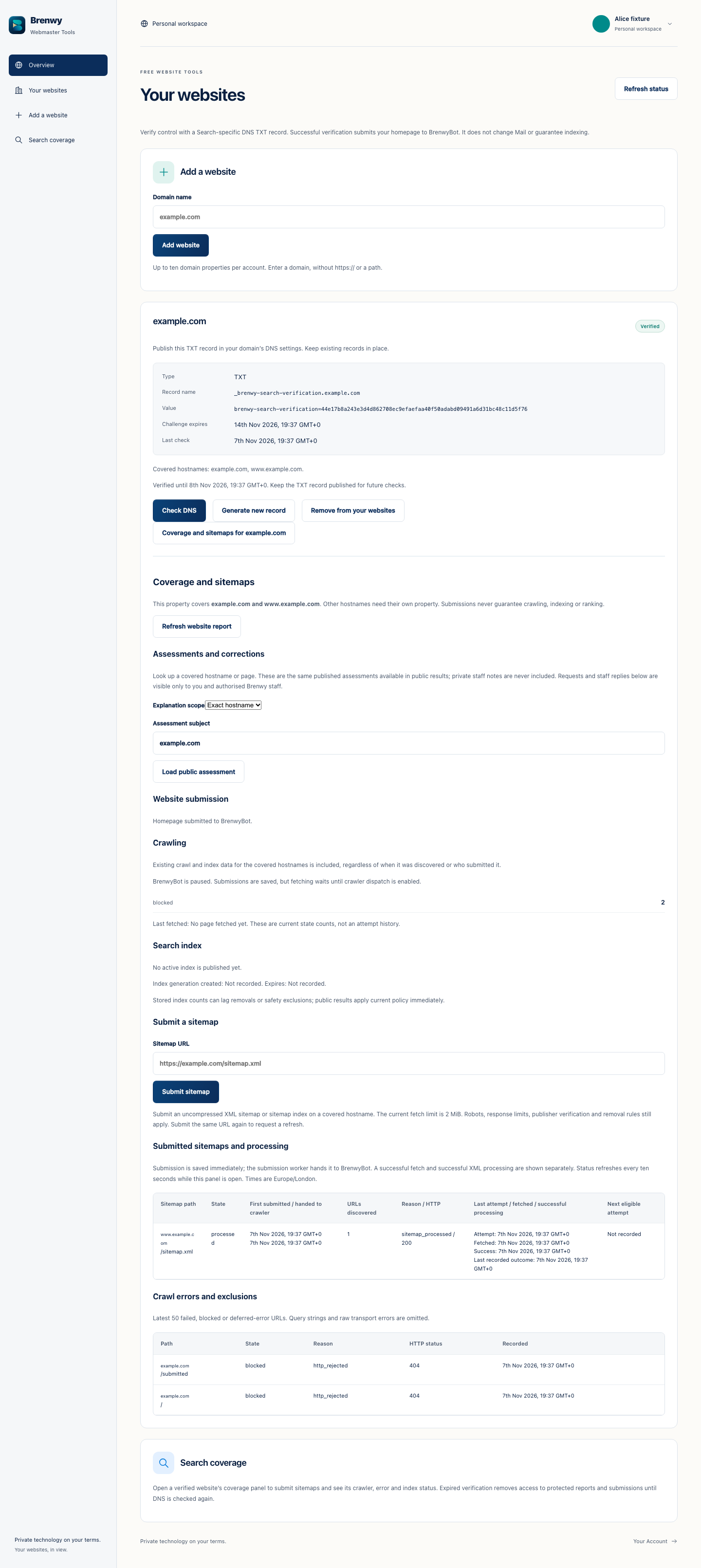
Open Brenwy Webmaster Tools and sign in through Brenwy Account. Add a domain you control using the website-management form.
Website verification here is separate from verifying a business email domain. One verification does not automatically substitute for the other.
Publish and check DNS
Copy the exact TXT record shown for your website into its authoritative DNS settings. Preserve unrelated records and allow for caching.
Choose Check DNS to verify it. If the record expires or needs replacing, use Generate new record and publish the new value before checking again.
Use coverage and sitemaps
After verification, open Coverage and sitemaps for the website. Submit a supported sitemap and inspect the available crawl, error and index information.
Verification and submission do not guarantee crawling, inclusion or ranking. If verification expires, protected reports and submissions are unavailable until verification is renewed.
 Enlarge screenshot